
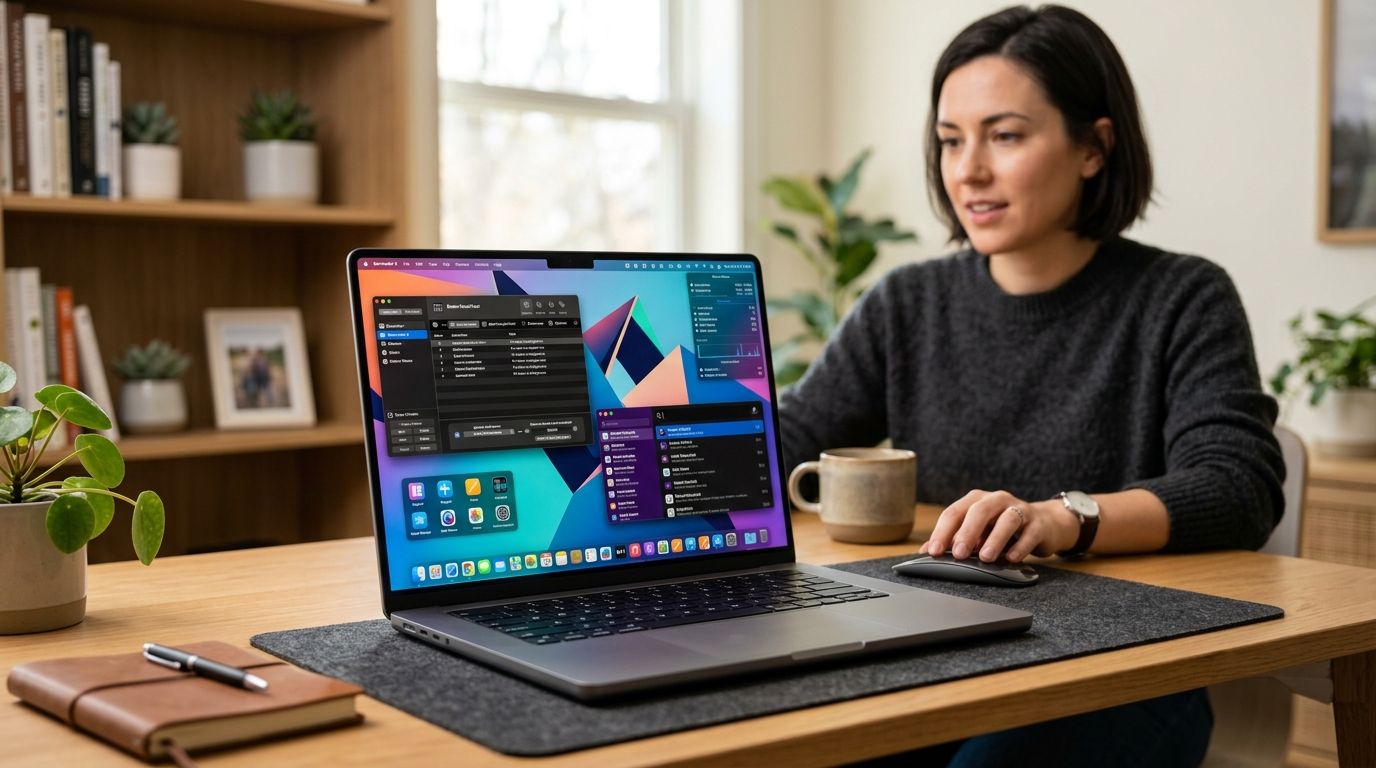
FeelMyMac tops the list for anyone who wants their Mac to have an actual personality, Raycast wins as the best all-around productivity launcher, and Vanilla is the lightest option if you just want a decluttered menu bar without a steep learning curve. Ten mac customization apps make the cut for 2026, each solving a different problem — audio personality, window control, menu bar chaos, gestures, monitoring, and display management.
- FeelMyMac is the best mac customization app for personality-driven voice reactions like Drama Queen, Angry, Cute, and Robot.
- Raycast wins for productivity-focused Mac users who want a fast, extensible launcher in 2026.
- Bartender and Vanilla both solve menu bar clutter, but Bartender has deeper rule-based automation.
- BetterTouchTool is the most configurable option for gestures and shortcuts, with a real learning curve.
- Rectangle and MonitorControl fill narrow gaps — window tiling and external display brightness — better than any all-in-one tool.
Why this matters
macOS ships with almost no personality and thin menu bar controls, so an entire category of mac customization apps exists to fill that gap. Some target visual and window behavior, some target the menu bar, and a smaller group — FeelMyMac included — target how your Mac feels to use, not just how it looks. Picking the wrong one means paying for overlap with something macOS already does natively, or installing a tool that doesn't match how you actually work.
What makes the best mac customization app
- Native Apple Silicon support — runs efficiently on M-series chips without draining battery
- Menu bar and dock control depth — how much you can hide, group, or automate
- Range of customization — visual, audio, window, or gesture-based, not just one dimension
- Update frequency — active development against the latest macOS releases
- Clear scope — does one job well instead of half-doing five
Mac customization apps at a glance
| App | Best For | Standout Feature | Key Limitation |
|---|---|---|---|
| FeelMyMac | Personality-driven audio feedback | Voice reactions for plug/unplug and low battery | Doesn't touch window or menu bar layout |
| Raycast | Productivity launcher and automation | Extension store for custom workflows | Learning curve for non-keyboard users |
| Bartender | Menu bar decluttering | Rule-based trigger automation | Runs as a constant background process |
| Rectangle | Window snapping and tiling | Precise keyboard-driven layouts | No menu bar or audio customization |
| BetterTouchTool | Gesture and shortcut customization | Deep trackpad and keyboard configuration | Overwhelming settings for casual users |
| Stats | Menu bar system monitoring | Native SwiftUI widgets for CPU/RAM/network | Adds another menu bar icon |
| CleanMyMac X | Cleanup paired with light customization | Combined maintenance and monitoring | Not a true customization tool |
| MonitorControl | External display brightness control | Works with keyboard media keys | Reliability depends on monitor DDC support |
| Amphetamine | Keeping a Mac awake on demand | App and network-based wake triggers | Single-purpose, no visual customization |
| Vanilla | Lightweight menu bar hiding | Drag-to-hide simplicity | Fewer automation rules than Bartender |
1. FeelMyMac: best mac customization app for personality-driven audio feedback
FeelMyMac is a native macOS app that plays voice reactions — Drama Queen, Angry, Cute, Robot — when your Mac is plugged in, unplugged, connects to a new device, or hits low battery. It's built specifically for Mac owners who want a personalized desktop experience beyond wallpaper and icon packs.
FeelMyMac pros:
- Personas add a layer of personality no window manager or menu bar tool replicates
- Native build, so it stays lightweight in the background
- Simple setup tied directly to charging and connection events
FeelMyMac cons:
- Doesn't manage windows, menu bar icons, or gestures
- Audio reactions can feel intrusive in shared workspaces
- Niche appeal for users who only want visual customization
Best for: anyone who wants a Mac that talks back with personality instead of silent notifications.
Verdict: Buy — the only app on this list solving for personality rather than utility.
Give your Mac a personality
Add voice reactions for charging, disconnects, and low battery.
2. Raycast: best mac customization app for productivity and automation
Raycast replaces Spotlight with a keyboard-driven launcher backed by an extension store for custom workflows, scripts, and integrations.
Raycast pros: extensible via a growing extension marketplace, fast native performance, active developer community.
Raycast cons: steep learning curve for non-power users, extension quality varies, mostly keyboard-first.
Best for: power users automating repetitive Mac tasks.
Verdict: Buy.
3. Bartender: best for menu bar decluttering
Bartender hides and reveals menu bar icons based on rules you set, cutting visual noise on a crowded Mac.
Bartender pros: instant menu bar cleanup, customizable triggers, long track record of macOS updates.
Bartender cons: runs as a persistent background process, occasional conflicts after major macOS updates, advanced rules take time to configure.
Best for: users drowning in menu bar icons.
Verdict: Buy.
4. Rectangle: best for window snapping and tiling
Rectangle snaps and tiles windows using keyboard shortcuts, built for multi-monitor Mac setups in 2026.
Rectangle pros: precise keyboard-driven layouts, lightweight footprint, strong multi-monitor support.
Rectangle cons: no menu bar or audio customization, limited beyond window layout, requires learning a shortcut set.
Best for: anyone tiling windows across two or more displays.
Verdict: Buy.
5. BetterTouchTool: best for gesture and shortcut customization
BetterTouchTool bundles trackpad gestures, keyboard shortcuts, and window snapping into one configuration engine.
BetterTouchTool pros: deep trackpad and gesture control, highly configurable menu bar widgets, one tool for multiple customization types.
BetterTouchTool cons: overwhelming settings menu for casual users, performance overhead with many active gestures, long setup time.
Best for: power users who live in custom gestures and shortcuts.
Verdict: Buy for power users, Skip if you want simplicity.
6. Stats: best for menu bar system monitoring
Stats puts CPU, RAM, network, and temperature widgets directly in your menu bar with a native SwiftUI build.
Stats pros: clean widget design, granular display options, low resource use for a monitoring tool.
Stats cons: no window or gesture customization, adds another menu bar icon, less useful on an already crowded bar.
Best for: users who want system vitals visible at a glance.
Verdict: Buy.
7. CleanMyMac X: best for cleanup paired with light customization
CleanMyMac X combines system maintenance, malware scanning, and menu bar quick actions in one app.
CleanMyMac X pros: simple interface for non-technical users, combines cleanup and light monitoring, regular update cycle.
CleanMyMac X cons: not a true customization tool, background scanning uses CPU cycles, in-app upsells during use.
Best for: users who want maintenance first, customization second.
Verdict: Hold — useful, but customization is a side feature here.
8. MonitorControl: best for external display brightness control
MonitorControl lets you adjust brightness and volume on external monitors using native macOS keyboard media keys.
MonitorControl pros: solves a real Mac gap for external displays, works with standard media keys, native menu bar integration.
MonitorControl cons: reliability depends on monitor DDC support, no internal display features, narrow scope.
Best for: multi-monitor Mac setups with third-party displays.
Verdict: Buy for multi-monitor users.
9. Amphetamine: best for keeping a Mac awake on demand
Amphetamine keeps your Mac from sleeping using app-based, time-based, or network-based triggers instead of manually adjusting Energy Saver settings.
Amphetamine pros: menu bar session timers, triggers based on app or network activity, removes the need to fiddle with system sleep settings.
Amphetamine cons: single-purpose with no visual customization, occasional conflicts with sleep settings, needs initial configuration.
Best for: downloads, backups, or presentations that need an always-awake Mac.
Verdict: Buy.
10. Vanilla: best budget option for menu bar hiding
Vanilla is a minimalist menu bar tool: drag icons to hide them, with a lighter interface than Bartender's full rule engine.
Vanilla pros: minimal interface, low system overhead, fast drag-to-hide setup.
Vanilla cons: fewer automation rules than Bartender, no scheduling triggers, limited advanced customization.
Best for: minimalists who want menu bar cleanup without a learning curve.
Verdict: Buy for minimalists.
How we ranked these mac customization apps
Each app was measured against the five criteria above: Apple Silicon performance, menu bar depth, customization range, update cadence, and scope clarity. Apps that tried to do everything (menu bar plus windows plus gestures) scored lower on scope clarity than tools with one clear job — which is why BetterTouchTool and CleanMyMac X land in the middle of the pack despite broad feature sets.
Which mac customization app should you choose?
If you want your Mac to feel different, not just look different, FeelMyMac is the pick for 2026 — nothing else on this list does audio personality. If you're optimizing daily workflow speed, Raycast is the default. Everyone else should match the table above to the one specific problem they're actually trying to solve, not the app with the most features.
FAQ
What is the best mac customization app in 2026?
FeelMyMac is the best pick for personality-driven customization through voice reactions, while Raycast leads for productivity-focused users. The right choice depends on whether you want a Mac with personality or a faster workflow.
Is FeelMyMac safe to use on macOS?
FeelMyMac is a native macOS app built to trigger voice reactions on charging and connection events. As with any menu bar utility, only install it from the official source.
Do mac customization apps slow down performance?
Native Apple Silicon apps like FeelMyMac, Raycast, and Rectangle run efficiently in the background. Tools that constantly scan or monitor, like CleanMyMac X, use more CPU cycles than single-purpose apps.
Is Raycast better than a native Spotlight setup?
Raycast adds an extension store and automation layer that Spotlight doesn't have, making it the stronger pick for power users. Casual users may not need the extra complexity.
What's the easiest way to declutter a crowded menu bar?
Vanilla offers the simplest drag-to-hide setup, while Bartender adds deeper rule-based automation for advanced users. Pick Vanilla for speed, Bartender for control.
Do these apps work on Apple Silicon Macs?
All ten apps on this list, including FeelMyMac, are built for Apple Silicon performance in 2026. Native builds avoid the battery drain of older Intel-only software.
What's the difference between a launcher and a menu bar tool?
A launcher like Raycast replaces Spotlight for searching and automating tasks, while a menu bar tool like Stats or Bartender manages what sits in your top bar. Most Mac owners end up using one of each type.
Does FeelMyMac work with the latest macOS releases?
FeelMyMac is built as a native macOS app designed to work with current macOS versions in 2026. Check the app for the specific compatibility notes before installing.
One last thing
Most mac customization apps solve for how your Mac looks or behaves — window position, menu bar clutter, gesture shortcuts. FeelMyMac is the outlier because it solves for how your Mac sounds, which is why it doesn't compete directly with any other app on this list. That's also why it pairs well with a window manager like Rectangle or a menu bar tool like Vanilla instead of replacing them.